Nostalgia Shader for Minecraft 1.21.4 / 1.20.6 / 1.19.4 – Download & Setup
⬇ Jump to Multi-Version DownloadsNostalgia Shader is one of the most popular verified Shader Packs for Minecraft 1.21.4 / 1.20.6 / 1.19.4 (Capturing the essence of old shaderpacks to create a stylized and modern Minecraft-look.). Below you will find the latest build (5.1), in-game previews, recommended FPS settings, and direct multi-version download mirrors.
5.1Key Features & Compatibility Highlights
- Verified compatible with Minecraft 1.21.4 / 1.20.6 / 1.19.4 (Iris, Optifine)
- Official clean
ZIPbuild (5.1) — 4,595,477+ community downloads - Optimized categories & features: Atmosphere, Bloom, Colored-lighting, Fantasy, Foliage
- Multi-version download mirrors included below for both newest 2026 drops and classic 1.21 / 1.20 servers
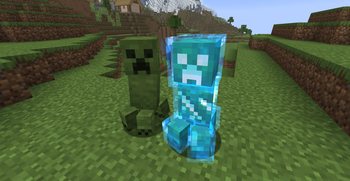
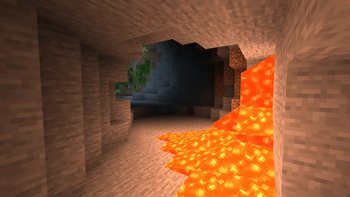
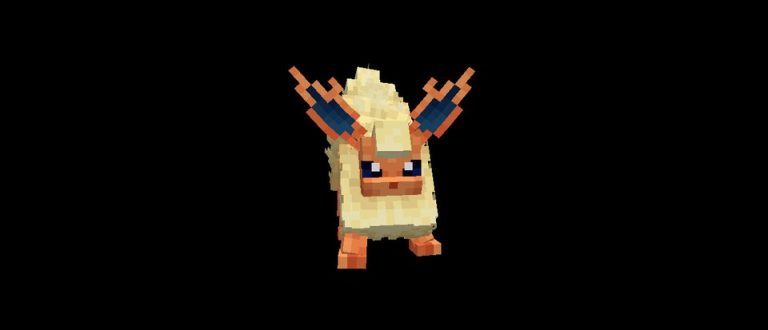
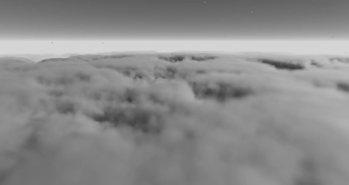
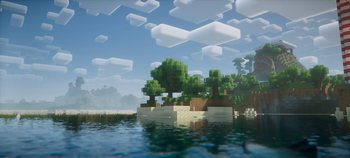
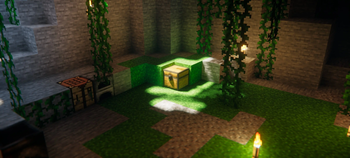
Nostalgia Shader In-Game Screenshots


Recommended PC & FPS Tier Settings
Low-End / Laptop (60+ FPS Target)
- GPU: Intel Iris Xe / GTX 1050 Ti / RX 560
- Render Distance: 8–10 Chunks + Sodium Installed
- Profile Preset: Low / Potato Shadow Cascade
Mid / High RTX (120+ FPS Ultra)
- GPU: RTX 3060 / RTX 4060 / RX 6700 XT+
- Render Distance: 14–18 Chunks + Iris Shaders
- Profile Preset: High / Ultra Volumetric Lighting
How to Install Nostalgia Shader in Minecraft (1.21.4)
- Install Iris Shaders (recommended for highest FPS) or OptiFine for Minecraft 1.21.4.
- Download the
Nostalgia Shader.ZIParchive from Mirror 1 or Mirror 2 below (do not unzip the shader archive). - Launch Minecraft, go to
Options -> Video Settings -> Shader Packs -> Open Shader Pack Folder, drop the.zipinside, and select it in-game!
Frequently Asked Questions
Which Minecraft versions does Nostalgia Shader support?
Nostalgia Shader (5.1) officially supports Minecraft 1.21.4 / 1.20.6 / 1.19.4 along with earlier builds listed in the multi-version download table below.
What loader do I need for Nostalgia Shader?
This shader pack works with Iris, Optifine. Check the exact loader tag next to each file row in the Download Vault below before installing.
Is Nostalgia Shader safe and free for low-end PCs?
Yes — every archive is verified via SHA-512 checksum and includes scalable graphics/performance settings suitable for integrated GPUs as well as mid/high-range RTX cards.
Where to buy
| Item | Amazon | eBay |
|---|---|---|
| Minecraft Java Edition | Amazon | eBay |
| Minecraft (Nintendo Switch) | Amazon | eBay |
| Gaming headset | Amazon | eBay |
| Gaming mouse | Amazon | eBay |
Links are affiliate links. We earn a small commission if you buy, at no extra cost to you.